


Wings of Heroes: Flying Games
4.312.23K Reviews
App Specs
- Version
- 2.3.1
- Updated On
- License
- Free
- Downloads
- 5,000,000+
- Developer
- RORTOS
- Categories
- Simulation
- Platform
- Android
Screenshots
 Analysis by AppCompare
I came to Wings of Heroes: Flying Games expecting a quick flying game and found a simulation built around action, missions, and online competition. Its appeal is easy to understand: you get the sense of taking control of an aircraft without needing to arrive as an experienced flight-sim player. But the most enjoyable sessions depend on more than the first takeoff. Learning the controls, choosing a comfortable way to steer, and knowing what kind of progression you enjoy all shape whether it holds your attention.
Getting Started: Ready for Takeoff
First things first, downloading Wings of Heroes: Flying Games was a breeze. A quick trip to the app store, a tap, and we were ready for takeoff. The game doesn't take up much space, which is fantastic if you're forever battling storage issues like I am. Once installed, you're greeted with a sleek interface that instantly sets the mood for some serious flying action.
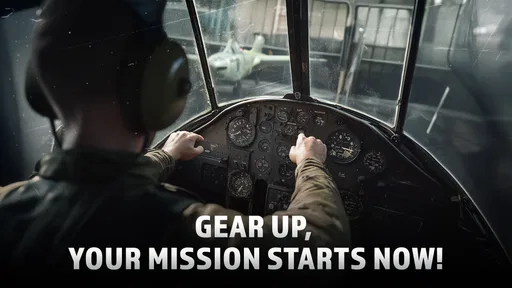
The tutorial is straightforward and gets you into the cockpit in no time. I appreciated how it walks you through the controls without bogging you down with too much information at once. For someone who's not a hardcore gamer, this was a huge plus. It's like they knew just how to balance the learning curve to keep it engaging yet accessible.
When the First Flight Feels Awkward
A short tutorial can get you moving, but it does not necessarily make your first combat flight feel effortless. In a plane, small steering corrections matter, and the screen can feel busy when you are trying to watch your aircraft and the action around it. I would give myself a few low-pressure attempts to learn how the controls respond before judging the game by a rough opening match. A missed turn is often a sign that I need more practice with the input, not that the whole experience is inaccessible.
There is also a useful choice to make early: tilt steering or on-screen controls. Tilt can feel natural if you like moving the phone as though it were a miniature control surface, but it asks you to hold the device comfortably and make measured motions. Touch controls may suit you better if you prefer keeping your hands steady and making deliberate inputs on the display. I would try both before settling in; the best option is the one that lets you correct a turn without fighting your own grip.
For a first session, I would avoid treating every result as a test of skill. Spend attention on one thing at a time: keeping your aircraft pointed where you intend, noticing how quickly it responds, and then adding the demands of a fight. That small change in approach makes the learning curve feel fairer. If you begin by trying to master steering, targeting, and competition all at once, the game can feel more hectic than it needs to.
Setup Checks Before Blaming the Flight
The game is free to start, but it includes optional in-app purchases, with items ranging from $0.99 to $129.99. I would decide in advance whether I am happy to play without spending or willing to consider purchases, especially before getting invested in upgrades. The listed price of an item is not a reason to buy it in the heat of a match; take a moment to decide whether it addresses something you actually want from the game.
Worth Reading Before You Choose

EA SPORTS FC Mobile 26 Is a Bigger Football Game, but It Takes Time

Flipboard Shows What News Apps Must Do Beyond the Feed

Switching to Android Auto Means Rethinking Your Driving Routine

Google Calendar Makes a Crowded Week Easier to Manage

Ludo King Makes the Most of the Minutes Between Plans

Baby Panda World Brings Quick Play to Modern Phones, but Its Game Library Feels Busy
It is also worth checking the basics before a session: make sure the game has finished installing or updating, close other demanding apps if your device is struggling, and use a reliable connection when you plan to play online. These are sensible checks rather than magic fixes. A stutter or interrupted match can have more than one cause, so I would change one thing at a time instead of reinstalling immediately or assuming the controls are broken.
The game is rated Everyone 10+, and it is a simulation game from RORTOS. It was released on October 4, 2022, and version 2.2.1 is the current version. It requires Android 9 or later. Those details make it easier to check whether it fits your device and household before downloading, but they do not guarantee identical performance on every phone or tablet.
Graphics and Sound: A Feast for the Senses
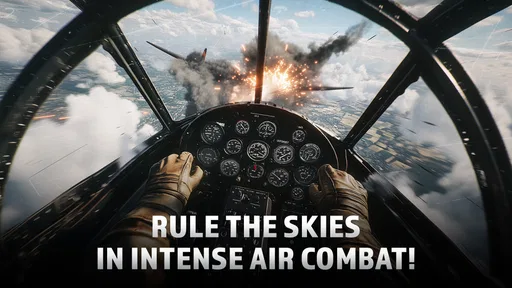
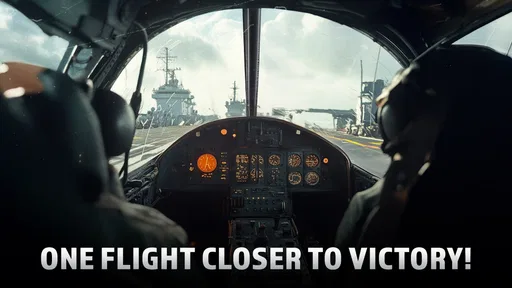
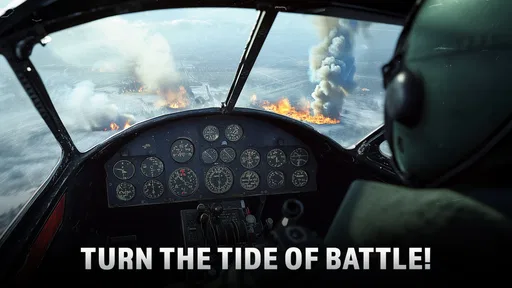
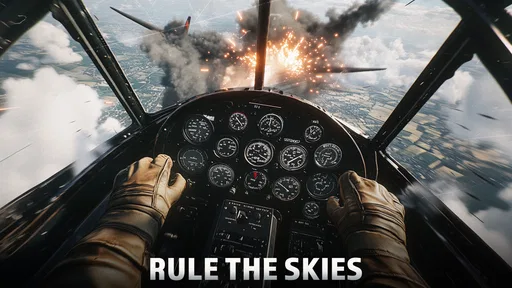
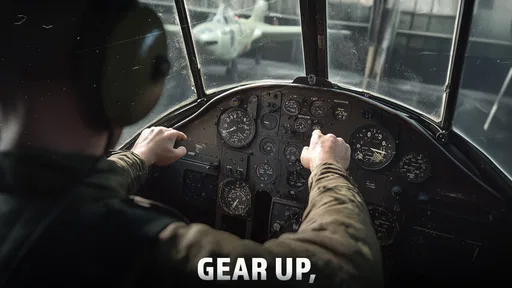
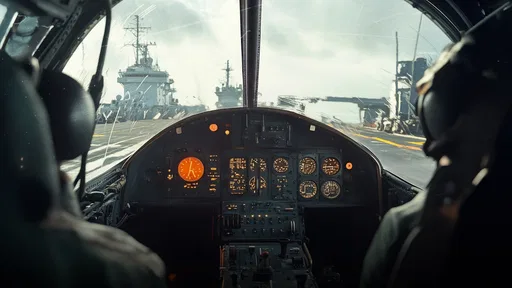
The graphics are nothing short of stunning. The attention to detail in the aircraft and landscapes blew me away. Whether you're zooming over a shimmering ocean or navigating through a thunderstorm, every scene is crafted with care. The developers really nailed the visual aspect, giving you a truly immersive experience.
And the sound? Just imagine the roar of engines and the whistle of wind as you cut through the skies. It's all there, enhancing the authenticity. I found myself completely lost in the world they've created, thanks to the superb audio design.
Recovering When a Session Goes Sideways
When a flight goes badly, I find it more useful to identify the moment things unravel than to repeat the same approach immediately. Was I already struggling to steer, or did I lose track of the action once the fight became crowded? In the first case, I would return to a calmer attempt and focus on control. In the second, I would make a point of keeping the aircraft’s direction in mind before chasing every movement on screen. A small, specific adjustment is easier to judge than changing several habits at once.
If the game freezes or an online session drops, I would first check whether the issue happens again after closing and reopening the game, then check the connection if I am playing online. Keeping the game updated and restarting a device that is clearly acting sluggish are ordinary troubleshooting steps, not guaranteed cures. I would avoid deleting game data as an early experiment: losing progress would be a worse outcome than taking a pause and checking the simpler causes first.
Upgrades create another reason to pause and reassess. Since rewards can be used to improve or unlock aircraft, it is tempting to spend them as soon as they arrive. I prefer to notice what is actually holding me back before committing: if steering is still the problem, a stronger plane may not teach me better control. When the handling already feels comfortable and I want to build on that, progression becomes more satisfying because I can connect a change to how I fly.
Gameplay: Soaring High
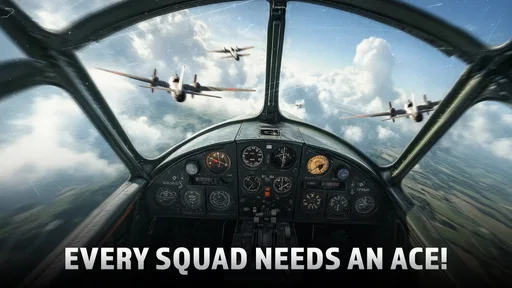
Now let's talk gameplay, which is the heart of any good game. Wings of Heroes: Flying Games offers a variety of missions that keep things fresh. From dogfights to rescue missions, there's always something to keep your adrenaline pumping. The controls are intuitive, whether you're a tilt-to-steer fan or prefer on-screen controls. Personally, I loved the tilt option—it felt more like real flying, and it added an extra layer of immersion.
The game also features a progression system that keeps you coming back. As you complete missions, you earn rewards that can be used to upgrade your planes or unlock new ones. I spent quite a bit of time tweaking my aircraft to perfection, and it was satisfying to see tangible improvements in performance.
What Kind of Flying Game Is It?
I would place this closer to an action-focused airplane simulation than to a strict flight-training tool. The missions and dogfights give each session a clear purpose, while the aircraft and scenery supply the feeling of being in the air. That balance is useful if you want flying to lead into something active. If your main goal is to study realistic procedures, plan long routes, or practice a quiet, technical flight, a more dedicated aviation simulator would be a better match.
It also differs from a simple arcade flyer, where the pleasure is mostly in quick movement and immediate scoring. Here, the aircraft progression gives you a reason to return and tune your choices over time, while online play adds competition beyond solo missions. The trade-off is that learning and improving can take patience; it is not necessarily the best pick when you want a self-contained, story-led game that wraps up neatly in a few sittings.
A practical way to enjoy the progression is to set a small goal for each visit rather than trying to unlock everything at once. I might focus on completing a mission, getting more comfortable with one steering method, or deciding which aircraft upgrade seems most useful. That keeps a short session rewarding even when I do not have time to settle into a longer run. It also makes it easier to tell whether I am enjoying the flying itself or only chasing the next unlock.
Choosing the Right Moment to Play
This is best suited to someone who enjoys short bursts of focused action and does not mind repeating missions or encounters while learning. A commute break or a quiet stretch at home can work well if you have enough attention to steer and follow what is happening. I would not start a competitive online session when I am distracted, rushing, or dealing with an unreliable connection; those conditions can make a fair challenge feel frustrating.
For example, after dinner I might have a few minutes free and want something more involving than a passive mobile game. I can try a mission, concentrate on handling, and stop after a clear attempt instead of turning the evening into a long grind. If I am playing with friends, I would save that for a time when everyone can focus on the match rather than treating it as background entertainment. The game asks for enough attention that half-watching while doing something else can spoil the fun.
Players who dislike competition, incremental upgrades, or touch-and-motion controls may prefer a calmer single-player experience in another genre. And if a realistic simulator is the priority, the action framing here may feel too game-like. I would recommend it most to people who want aircraft combat and a gradual sense of improving their setup, not to someone looking for a precise cockpit study or a relaxed flying screensaver.
Community and Multiplayer: Flying with Friends
If you're into multiplayer action, you're in for a treat. The game offers a seamless multiplayer experience where you can compete with friends or players worldwide. It's great to see a game that not only focuses on single-player missions but also fosters a community of aviation enthusiasts. Joining a squadron and strategizing with friends added a new dimension to the game that I thoroughly enjoyed.
Plus, the community is welcoming and lively. Whether you're looking for tips or just want to chat about aviation, there's always someone ready to engage. It's a refreshing change from some other gaming communities I've encountered.
When the Problem May Be Outside the Game
Online play depends on more than how well I handle the aircraft. If a match feels delayed or fails to connect, I would compare what happens in a solo mission with what happens online, then check whether my connection is steady. If only online play is affected, repeated control changes are unlikely to help. If everything feels slow, closing other apps or restarting the device is a more sensible first step than assuming a particular aircraft or upgrade caused it.
Device comfort matters too. Tilt steering is a poor fit if I am holding the phone at an awkward angle or playing while walking around; the input can feel inconsistent simply because my hands are not steady. In that situation I would sit down, hold the device in a relaxed position, and compare the on-screen controls. A game can be functioning normally while the way I am holding the device makes it harder to fly.
For families, the age rating is another practical consideration, and the purchase options are worth discussing before a child plays. The game is free to download, but optional purchases are available. I would set expectations about spending first, then let the player decide whether the missions and online competition are enjoyable on their own. That is a more useful test than assuming a purchase is necessary to have a worthwhile first experience.
Final Thoughts: Time to Spread Your Wings
So, is Wings of Heroes: Flying Games worth your time? Absolutely. Whether you're a seasoned pilot in the gaming world or a newbie looking to spread your wings, this app offers something for everyone. It's got the visuals, the sound, and the gameplay to keep you hooked for hours.
So, what are you waiting for? Grab your gear, jump into the cockpit, and experience the thrill of flight like never before. Just remember to keep your eyes on the horizon, and maybe I'll see you up there!
In my view, its strongest case is straightforward: it combines approachable controls with aircraft missions, a sense of progress, and online play, giving action-minded players several reasons to return. Its weaker fit is just as clear. If I wanted a detailed, methodical flight simulator, disliked repeated practice, or needed a game that worked well as background entertainment, I would choose something else. For a free-to-download option aimed at players who enjoy learning by flying and competing, though, it is an easy one to try.
Its average rating is 4.5 from around 128,000 ratings, and it has passed 5 million installs. That level of interest makes it a well-established choice in mobile flying games, but popularity cannot tell you whether the steering style or competitive focus suits you. I would use the first few sessions to answer that for myself: if the controls start to feel natural and the missions make me want another run, the game is doing its job.
Pros
- Stunning graphics with realistic landscapes.
- Intuitive controls enhance gameplay experience.
- Variety of aircraft to choose from.
- Engaging missions keep players hooked.
- Regular updates with new content.
Cons
- In-app purchases can be quite costly.
- Requires a stable internet connection.
- Occasional lag on older devices.
- Tutorials are somewhat lacking in detail.
- Ads can be intrusive at times.
FAQs for Wings of Heroes: Flying Games
What are the main features of Wings of Heroes: Flying Games?
Wings of Heroes: Flying Games offers an immersive aerial combat experience with stunning 3D graphics and realistic sound effects. Players can engage in thrilling dogfights, complete challenging missions, and unlock a variety of aircraft. The game also features multiplayer modes, allowing you to compete against other players globally.
Is Wings of Heroes: Flying Games free to play?
Wings of Heroes: Flying Games is free to download and play, but it does include in-app purchases. These can enhance your gaming experience by providing access to premium aircraft, special missions, and customization options. However, it's not necessary to make purchases to enjoy the core gameplay.
What are the device requirements for Wings of Heroes: Flying Games?
To enjoy Wings of Heroes: Flying Games, you need a device running at least Android 5.0 or iOS 10.0. The game requires a stable internet connection, especially for multiplayer modes. Make sure you have adequate storage space as the game includes high-quality graphics that may require a larger download size.
Can I play Wings of Heroes: Flying Games offline?
While Wings of Heroes: Flying Games offers some offline gameplay, most features, such as multiplayer modes and certain missions, require an internet connection. It's best to be online to fully experience all the game has to offer, including updates and community events.
How does the multiplayer mode work in Wings of Heroes: Flying Games?
In the multiplayer mode of Wings of Heroes: Flying Games, players can join live aerial battles against others worldwide. You can form alliances, participate in team battles, or engage in solo dogfights. The game matches you with players of similar skill levels to ensure balanced and competitive gameplay.


